
When can you skip ArcGIS?
When the question is operational instead of analytical. You need to know what the file is, whether the geometry looks right, which layers are inside it, and whether the metadata matches the handoff before you commit to a heavier GIS environment.
Fastest way to open GIS files on Mac without ArcGIS
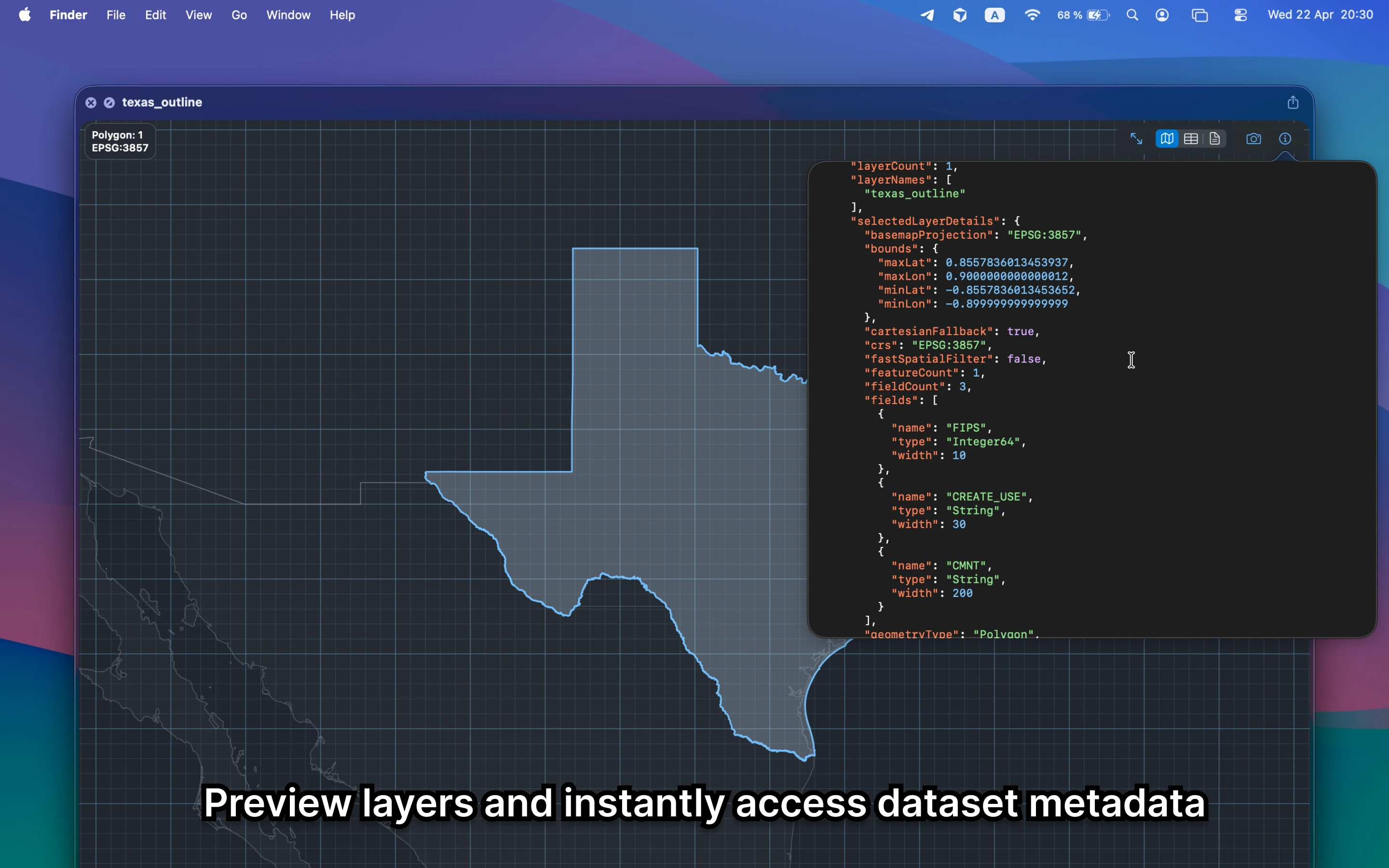
GeoPreview lets Finder and Quick Look handle the initial file check. Open the file, preview the map, inspect metadata or layers, and decide later whether the file really needs a deeper ArcGIS workflow.
Quick check before you use the file
A no-ArcGIS quick check should let you confirm:
- geometry, extent, and visible layers before you open a larger GIS environment
- metadata needed to route the file to the next person or tool
- that the file stays on your Mac instead of becoming a slower project task
Alternative tools
ArcGIS still belongs in deeper editing, enterprise workflows, analysis, and cartography. GeoPreview is better when the first step is simply to open the file quickly and understand what you are looking at.
Need to convert or export it?
After you preview the file, GeoPreview can also handle supported exports from Finder. That keeps a basic handoff simple when a full ArcGIS session would be too much.